Choose how she thinks and speaks
Connect a supported AI provider or set up a local model. Use local Whisper speech recognition and choose a reply voice such as GPT-SoVITS or Fish Audio.
↗ NINO.
NINO.
Nino listens, talks back, and brings every conversation to life with voice, expression, and movement. Make her part of your desktop—or explore her browser demo with chat, voice typing, appearance controls, and attachments.
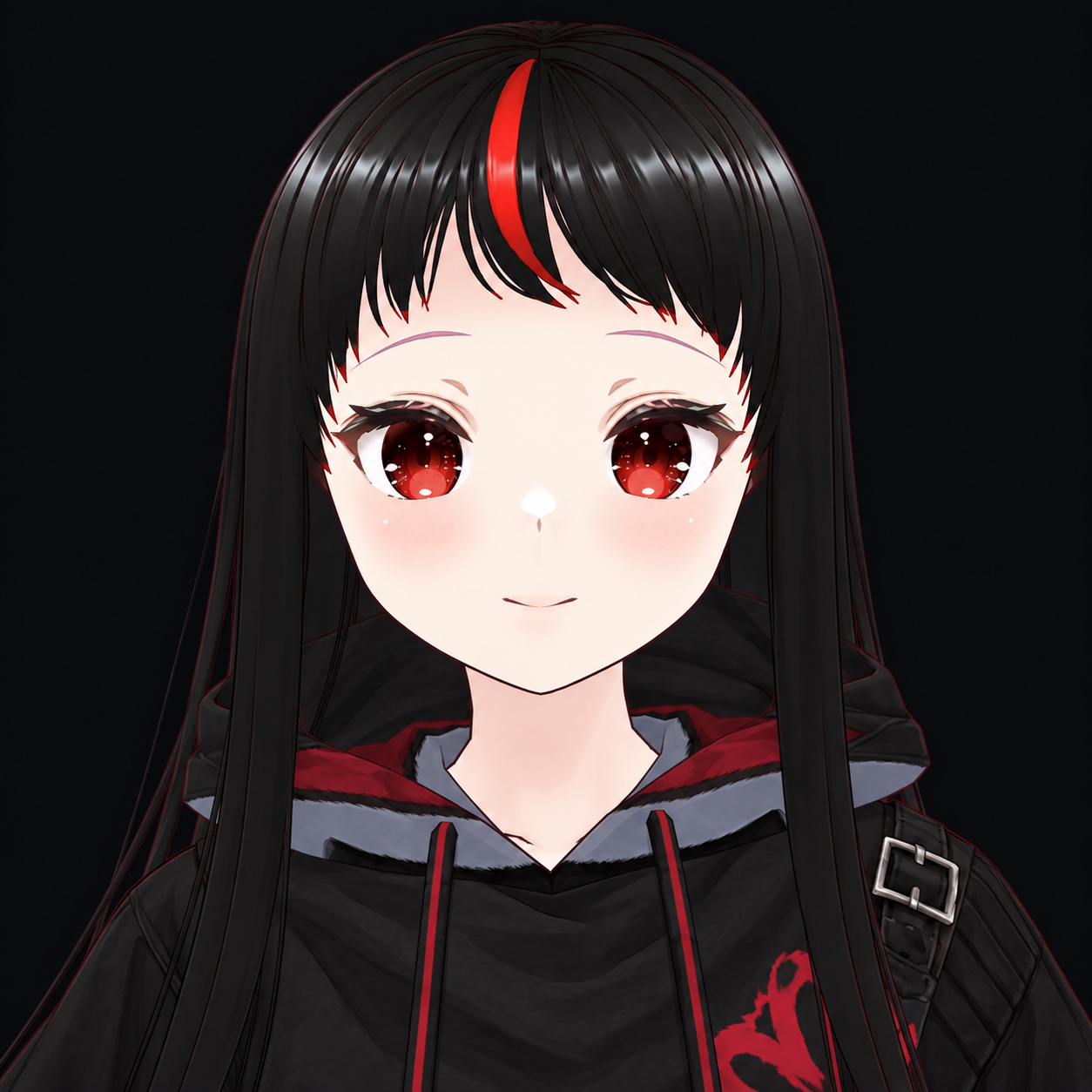
Nino isn’t just a box that answers questions. She has a face that reacts, a voice that speaks, and a personality that grows through the moments you share.
See Nino for yourself ↗Voice, an expressive avatar, optional plugins, and the small details that make a desktop companion feel like yours.
Connect a supported AI provider or set up a local model. Use local Whisper speech recognition and choose a reply voice such as GPT-SoVITS or Fish Audio.
↗Customize her VRM avatar, outfits, expressions, and animations. Import compatible VRM models of your own.
↗Browse the official MCP catalog, choose which tools to enable, and review non-read-only actions before Nino runs them.
↗Keep local chat history, editable memories, diary entries, notes, and reminders—with controls to export or clear supported data.
↗Use desktop pet mode, change scenes and backgrounds, explore 3D Open Space, or try VR on compatible hardware.
↗Turn on screen or camera sharing when you want Nino to see something. Stop sharing whenever you like.
↗She talks back. She has opinions.
She feels a little more like someone.
Start with a quick hello online. When you’re ready, bring Nino to your desktop and make her your own.
Open Nino’s live page and start a conversation in your browser.
Try browser voice typing, spoken replies, themes, backdrops, and image or document attachments.
Explore the desktop experience for the 3D avatar, plugins, local memory tools, and more ways to customize Nino.
She can be sweet, smug, or just a little dramatic. Go on, see what she says.
“You’re here. I mean… obviously I noticed. Don’t make a big deal out of it.”— NINO, PROBABLY
No subscription. No renewal. One payment for lifetime access.
Lifetime license · all future versions included
One-time $15 USD purchase. A one-device license key is issued after PayPal confirms payment. Sales are currently paused, so no payment will be taken. AI and voice providers may charge separately.
Nino is a Windows desktop AI companion with an expressive 3D avatar, voice options, customizable spaces, memory features, and optional plugins. The browser demo includes chat, optional browser voice, appearance controls, and image or document attachments. Desktop-only features are marked in the demo.
Choose an AI provider or available local model, talk with Nino by voice, customize her avatar and surroundings, keep memories and diary entries, set reminders, and connect optional tools. Some features need extra setup or compatible hardware.
Plugins use the MCP server catalog. You choose a server and enable only the tools you want. Nino asks before each tool call unless the server marks that tool as read-only; the approval screen shows the inputs, with password-like values masked. Some services require their own account or API key.
The desktop settings list OpenAI, OpenRouter, Groq, Together AI, Mistral, xAI (Grok), Google Gemini, Anthropic (Claude), DeepSeek, and a local-model option. Available models depend on each provider; enter the exact model ID they support.
Nino's one-time desktop license is separate from provider usage. Cloud AI or voice services may require your own account, API key, subscription, or usage payments. GPT-SoVITS is a separate local voice setup; Fish Audio requires its own service access.
Only when you start screen or camera sharing in the desktop app. Stop sharing when you are done. When you use a feature that sends captured content to an AI provider, that provider receives the information needed for your request.
Desktop chat history and companion data are stored locally on your PC. If you choose an online AI, it receives the prompt and context needed to answer. The browser demo sends messages to its AI service and does not save a Nino chat history. See the Privacy Policy for details and controls.
The $15 USD purchase covers one Windows PC with a lifetime license and all future versions of Nino Desktop included. The license does not include third-party AI or voice fees. Read the Terms of Service for the license conditions.
Come say hi. She’ll probably pretend she wasn’t waiting for you.
Meet Nino ↗